Find your way around a tree
Every tree has four views along the top: Tree, Events, Map and Memories. They work the same on a phone: pinch to zoom, drag to move, tap a person.
A person's page
Tap anyone to open their page on the right: photo, dates, places, age, partners, children, and their story. Export saves a card of the person as an image or PDF, with the family emblem on it.

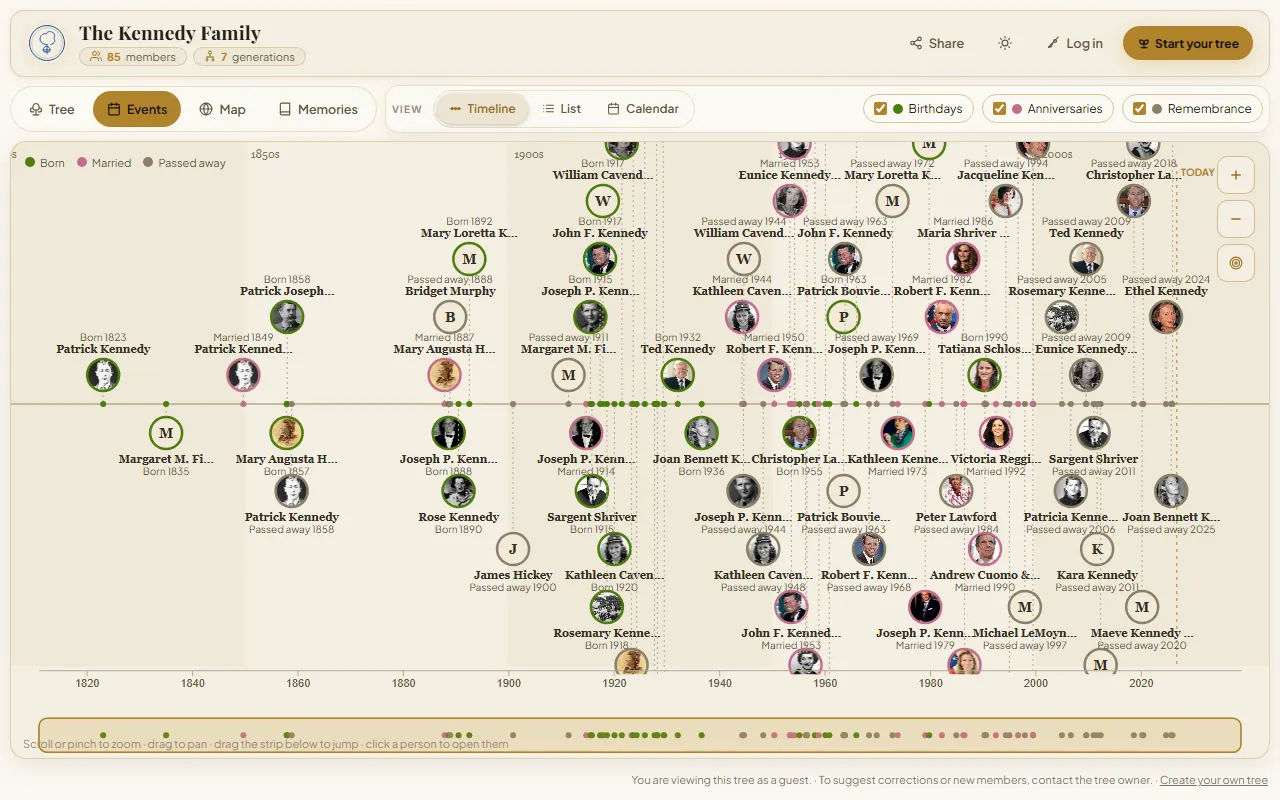
Events: timeline, list and calendar
Births, marriages and deaths on one timeline, with the decades along the bottom. Switch to List or Calendar to see the birthdays and anniversaries coming up.
Family events
Add the days that matter to your family: a puja every Diwali, a reunion, a wedding, the barsi of someone not in the tree. Press Add event on the Events page, give it a name, a kind and a date, and pick the people it is about.
Tick Repeats every year for festivals and anniversaries; leave it off for a one-time day. If you don't know the year, tick Year not known. Family events show in the timeline, the list, the calendar and the weekly email. Use the Family events chip to hide or show them, and the search box to find any event by name, person or place.
Map
Where everyone was born, lived and died. Living now shows where the family is today; Birthplaces and Everything show the history.

How are we related?
Press Find relation, pick two people, and FamilyTree names the relationship (second cousin once removed, sister-in-law, great-grandson) and shows the path between them, person by person.