Guide · Bring and connect
Connect Claude to your tree
FamilyTree has a connector for Claude, the AI assistant. Once connected, you can talk to your tree:
- "How is Ravi related to Kamla?"
- "Whose birthdays are coming up this month?"
- "Add my cousin Neha, born 3 May 1994 in Patna, daughter of Arun and Meena."
- "Mohan moved to Bengaluru last year, update him."
- "Here is a GEDCOM file from my uncle, add it to the tree."
1. Make a connector link
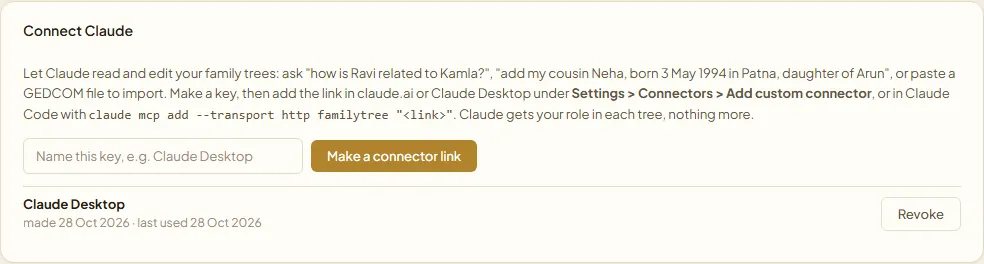
- Open Admin > Profile and find Connect Claude.
- Name the key, for example Claude Desktop, and press Make a connector link.
- Copy the link. It is shown only once; if you lose it, make a new one.
2. Add it to Claude
- claude.ai or Claude Desktop: Settings > Connectors > Add custom connector. Give it a name, paste the link, and add.
- Claude Code:
claude mcp add --transport http familytree "<your link>"
Then ask Claude about your family in any chat.
What Claude can do
Claude acts as you, with your role in each tree: a viewer can only ask questions, an editor can also add and change people, an owner can import and remove people. Claude asks before it changes anything when a name matches more than one person. Every change shows in the Activity Log.