Guide · Share and show
Share the link or put the tree on a website
Share the link
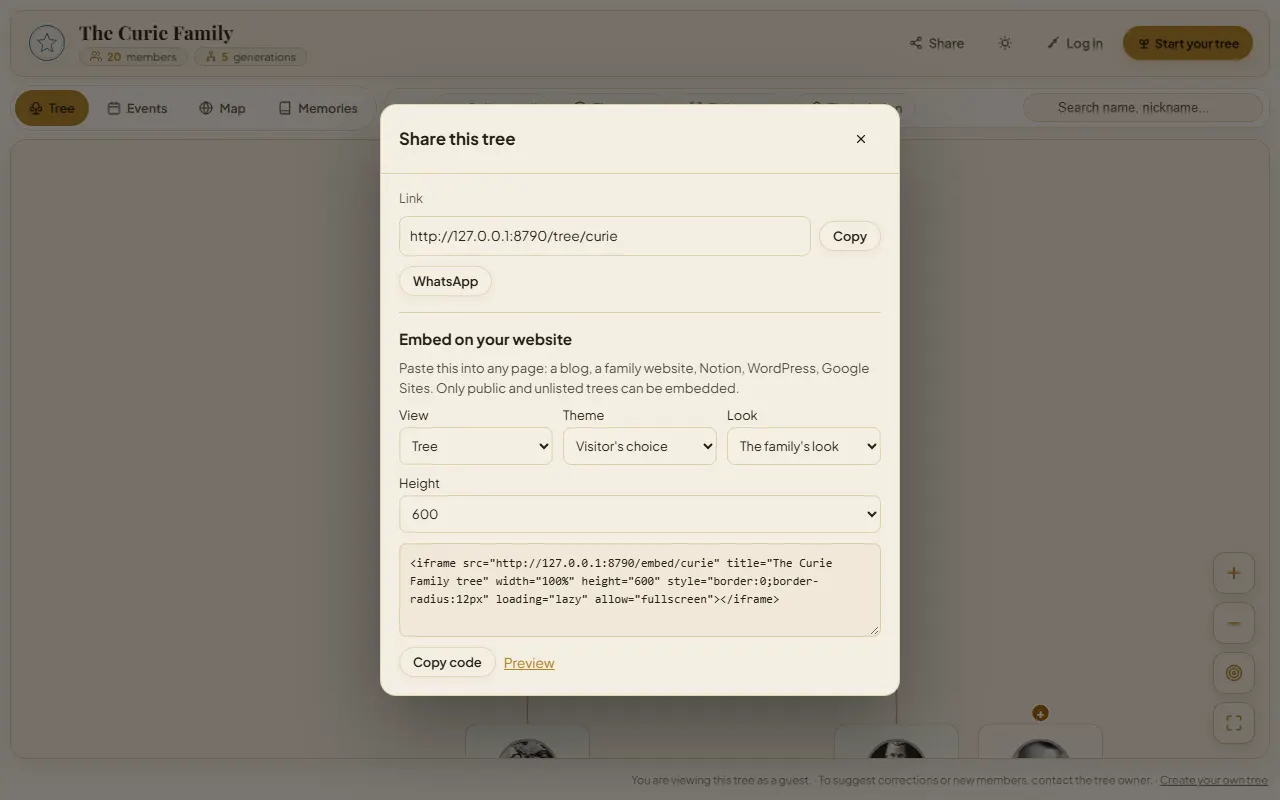
Press Share at the top of the tree. Copy the link, send it on WhatsApp, or use your phone's share sheet. The link shows a preview card with the family's name and emblem.
Embed it on a website
- In the same dialog, under Embed on your website, choose the view (tree, timeline, map or memories), light or dark, the look, and the height.
- Press Copy code and paste it into your page. It works anywhere that accepts HTML or an embed block: WordPress, Notion, Google Sites, Blogger, Squarespace, Wix.
<iframe src="https://familytree.bliink.in/embed/sharma" title="Sharma family tree"
  width="100%" height="600" style="border:0;border-radius:12px" loading="lazy"></iframe>
The embedded tree is fully interactive and links back to the full tree. Only public and unlisted trees can be embedded, and the same privacy rules apply.