Guide · Start here
Add people and relationships
There are two ways to add people. On the tree, Build Mode is the quickest. In the admin, the Members page gives you every field at once.
On the tree, with Build Mode
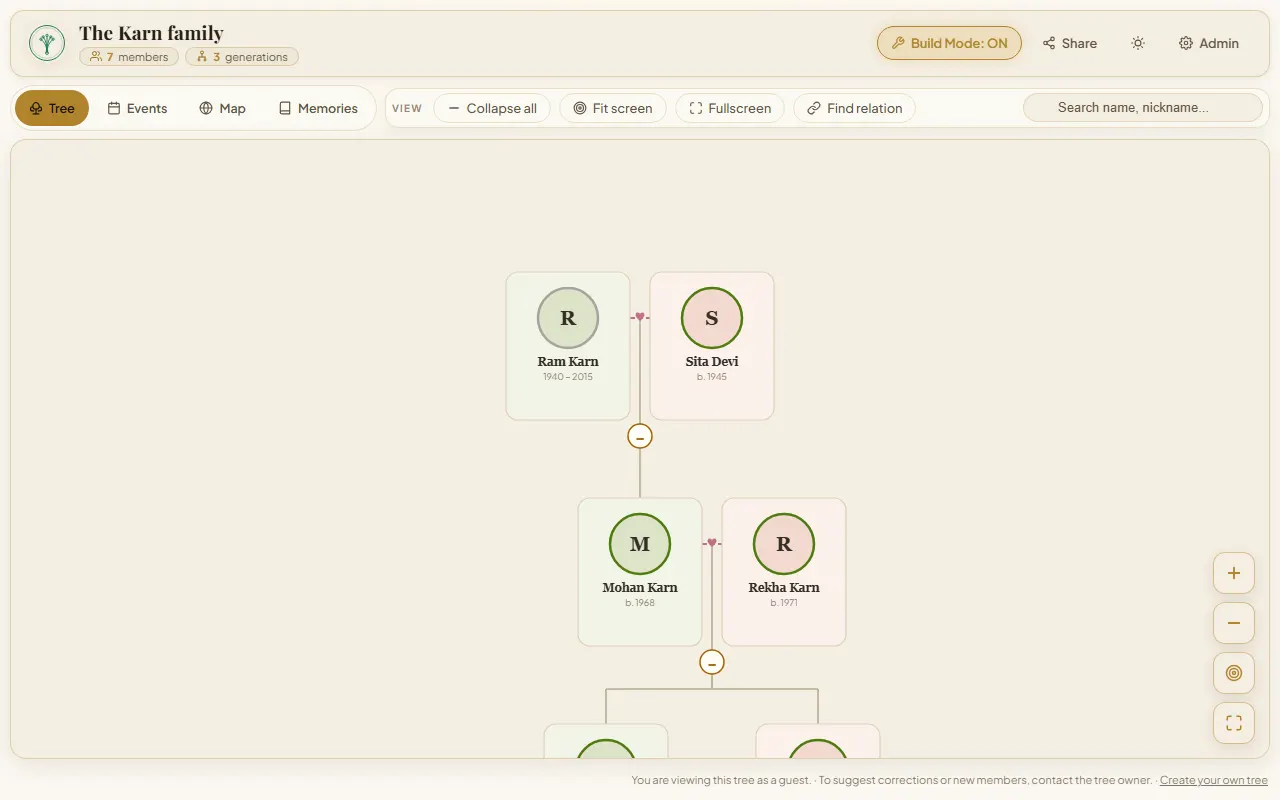
- Open your tree and press Build Mode at the top. It turns gold and reads Build Mode: ON.
- Small round buttons appear around each person: above for a parent, below for a child, at the side for a sibling and the heart for a partner.
- Press one, type the name, pick male or female, untick Living if they have died, and press Add.
- The new person appears linked in place, with their details open on the right so you can add more.
In the admin, on the Members page
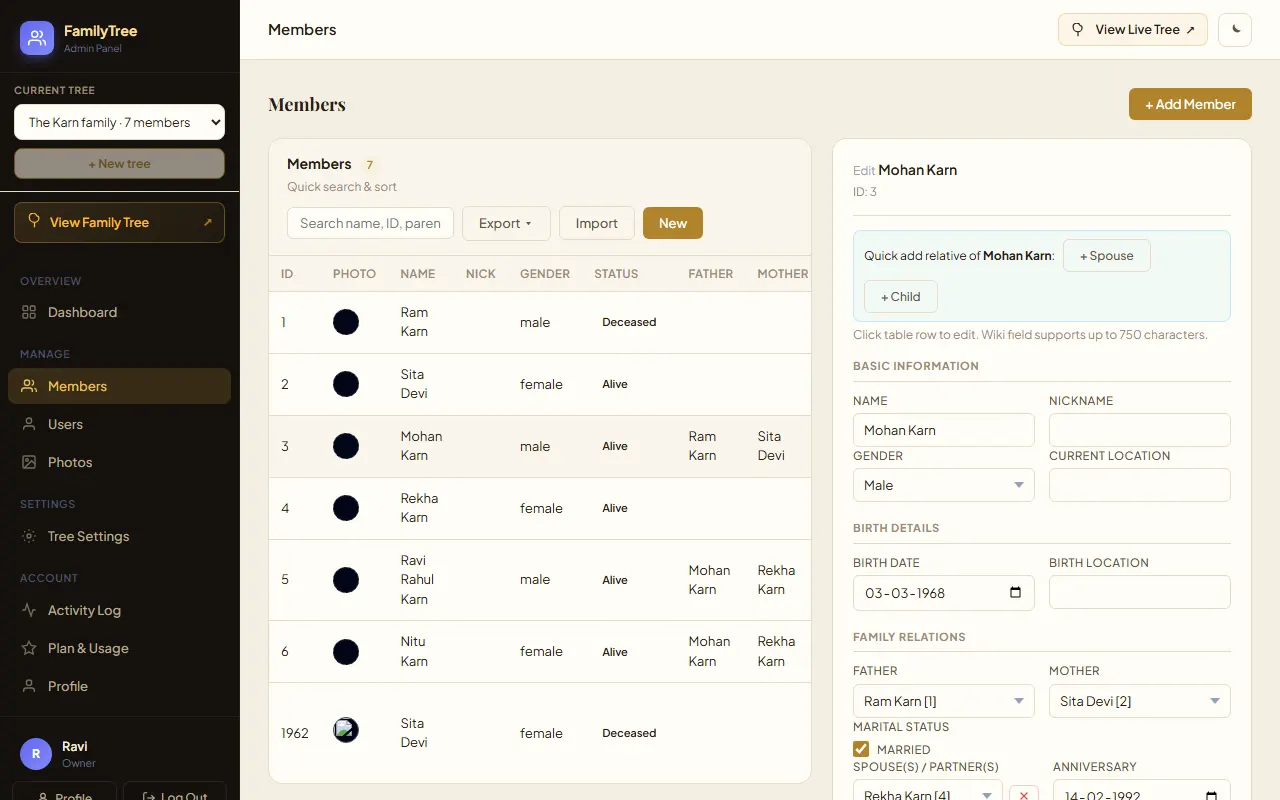
Open Admin > Members and press Add Member, or click anyone in the list to edit them. The form has every field: name and nickname, gender, birth and death dates and places, current location, father, mother, partners and wedding anniversary, a photo, and social links.
Good to know
- Dates you are unsure of: leave the date empty and write "about 1890" in the biography. A wrong exact date is worse than none.
- Both families of a couple: when both partners have parents in the tree, a small + on a card switches which side's family is shown above them.
- Big families: use Collapse all and the − under a couple to fold branches away, and the search box to jump to anyone.